
Best ChatGPT Alternatives 2026: 6 Tools Worth Using
ChatGPT is not the best fit for every task. This concise guide helps you choose a stronger option for cited research, long documents, Google or Microsoft work, coding, or privacy-sensitive use.
Quick picks
Best for research: Perplexity
Start here when you need web-grounded answers with visible source links.
Best for documents: Claude
Useful when a project needs persistent instructions and uploaded reference material.
Best in Google: Gemini
A natural choice for teams already working in Google’s ecosystem.
Best in Microsoft: Copilot
Consider it when your daily work happens in Microsoft 365 and Windows.
No model is consistently best at every job. Test one real task with your own inputs before moving a team workflow.
The 6 best ChatGPT alternatives in 2026
1. Claude — best for structured writing and document work
Claude is a strong pick for turning source material into clear drafts, specifications, summaries, and reusable deliverables. Its Projects can keep files and instructions together; use it when context management matters more than a quick one-off answer.
2. Perplexity — best for cited web research
Perplexity is an AI answer engine built around web search and inline citations. It is the fastest shortlist choice for research, but open the cited pages yourself before relying on a factual claim or recommendation.
3. Google Gemini — best for Google-centric workflows
Choose Gemini if your files, mail, and collaboration already live in Google tools. It reduces context switching, but permissions and connected-data settings still need an administrator review.
4. Microsoft Copilot — best for Microsoft 365 users
Copilot makes the most sense when Word, Excel, PowerPoint, Outlook, and Teams are central to the workday. Validate generated tables, formulas, and meeting summaries before sharing them.
5. Mistral Le Chat — best for teams evaluating European AI options
Le Chat is worth evaluating when model choice, deployment options, and regional considerations are part of procurement. Confirm the plan’s exact data controls and availability before placing confidential material in a prompt.
6. DeepSeek — best for technical experimentation
DeepSeek is a useful comparison point for technical users testing reasoning and code tasks. Treat it as an evaluation candidate, not an automatic destination for proprietary code or credentials.
Choose the right tool in 60 seconds
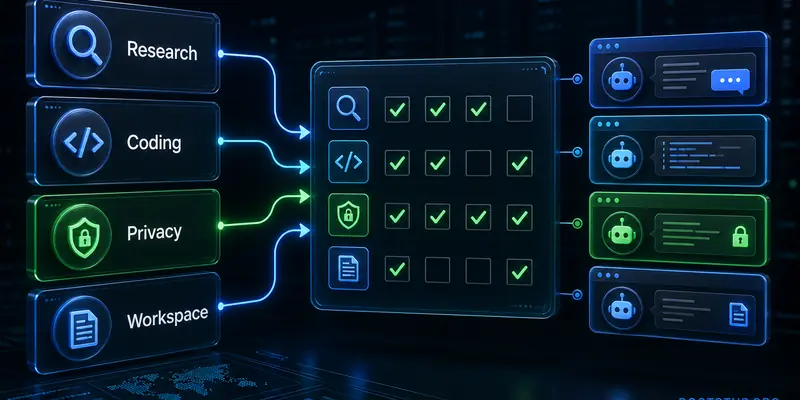
- Pick the primary job: cited research, writing from files, code help, or office productivity.
- Check where the source data already lives: browser, Google Workspace, Microsoft 365, repository, or local device.
- Set the risk level: public information, internal work, or regulated/confidential data.
- Run the same short test prompt in two candidates and compare accuracy, citations, editability, and time saved.
- Choose the smallest plan that meets the security and collaboration requirements.
Practical rule: Use Perplexity for finding sources, then read the sources. Use a writing or workspace assistant to transform verified material into a deliverable.
Security and verification checklist
Generative AI can produce plausible but incorrect output. This matters most for security guidance, incident response, code, legal text, and financial decisions.
- Do not paste passwords, API keys, customer records, or unredacted incident data into a public AI chat.
- Check citations against the original page, especially when the answer is current, technical, or high impact.
- Run generated code in a controlled environment and review dependencies before execution.
- Read the provider’s current privacy, retention, and training settings for the specific plan you use.
- Build your AI workflow on sound operational basics; start with the practical resources on the BootStup knowledge hub.
Frequently asked questions
What is the best ChatGPT alternative for research?
Perplexity is the strongest starting point when you need web research with visible citations. Verify each important claim on the original linked source.
Which ChatGPT alternative is best for work documents?
Claude is a strong option for document-heavy work because Projects can keep relevant files and instructions together. Test it with a representative document before standardizing a workflow.
Can I use a free ChatGPT alternative for confidential data?
Do not assume a free plan is appropriate for confidential data. Review the exact plan’s privacy, retention, training, and administrator controls before uploading sensitive material.